
Synopsis
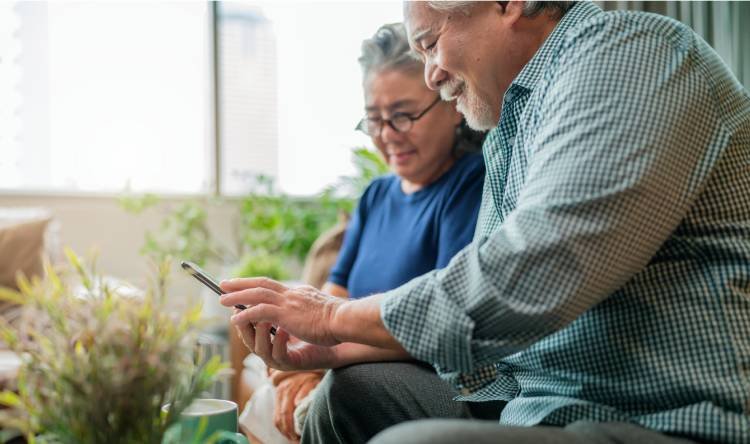
Technology for seniors made easy is not just a catchy phrase—it is a lifeline for India’s fast-growing ageing population. When everyday problems for elderly such as booking an auto, paying a utility bill, or joining a video call feel overwhelming, confidence fades and caregiver burden for elderly citizens quietly grows. Across elder weekly meets and elder groups worldwide, facilitators now use simple, hands-on sessions to replace fear with curiosity. In a Bengaluru park, seniors learn to press one large green icon to share their live location; in Tokyo, a “tap twice” rule helps them scan QR codes without anxiety. Both practices prove that respect, repetition, and real-life examples make technology for seniors made easy—and enjoyable.
This blog explores best practices from Western libraries, Indian housing societies, and local NGOs that hold friendly tech corners beside chai stalls. We show how a single empathetic volunteer can solve everyday problems for elderly in minutes, easing caregiver burden for elderly citizens and strengthening community bonds. By weaving tech tutorials into elder weekly meets, seniors laugh together, learn together, and reclaim digital independence. The result? Elder groups thrive, families relax, and an ageing population steps confidently into today’s connected world while preserving the warmth of face-to-face living.
Table of Contents
- Why Technology Matters for an Ageing Population
- Everyday Problems for Elderly—Digital Answers
- Travel and Payments Made Simple
- Health and Safety in One Tap
- Elder Weekly Meets—Turning Fear into Fun
- Building Trust through Peer Teaching
- Designing a Respectful Learning Flow
- Western Best Practices Adapted to In
- Reducing Caregiver Burden through Simple Tech
- Overcoming Barriers: Vision, Memory, and Language
- Elder Special—Empathy-First Digital Empowerment
- Joining an Elder Group: First Steps
Why Technology Matters for an Ageing Population
India’s ageing population is expanding faster than its digital inclusion programmes. Mobile apps control everything from hospital appointments to home deliveries, yet many seniors still hesitate to touch a smartphone. The gap breeds frustration, dependency, and social isolation. When technology for seniors made easy becomes a community goal, elders regain voice and choice. A retired teacher in Pune put it simply: “If I can book my own cab, I feel twenty years younger.” Such small victories ripple outward, inspiring peers and easing the load on busy families.
Everyday Problems for Elderly—Digital Answers
Travel and Payments Made Simple
One of the most common everyday problems for elderly is safe, reliable transport. Volunteers at elder weekly meets demonstrate cab apps using two buttons only—“Where to?” and “Confirm.” Seniors then pair up, book rides for each other, and celebrate each successful ping. Similar micro-lessons cover UPI payments: a laminated sheet lists just three steps, reducing confusion.
Health and Safety in One Tap
Health apps store prescriptions, send pill reminders, and connect seniors to doctors. In Western “silver hackathons,” coders add extra-large fonts and voice prompts; Indian designers now follow suit. A single emergency button that shares location with family has lowered caregiver burden for elderly citizens in several housing societies.
Elder Weekly Meets—Turning Fear into Fun
Building Trust through Peer Teaching
Elder groups succeed when teaching comes from peers rather than professionals alone. A senior who cracked QR scanning yesterday becomes today’s mentor, creating a chain of shared success. These sessions always start with a joke or song to break tension.
Designing a Respectful Learning Flow
Facilitators follow a three-step rhythm: explain, demonstrate, and let seniors try thrice. No one grabs the phone from an elder’s hand; respect remains the first rule. Positive reinforcement—applause and a group selfie—cements memory pathways.
Western Best Practices Adapted to India
Public libraries in the UK host “Tablet Tuesdays” with fifteen-minute tip stations. Elder Special adapts this by placing “Tech-tok” kiosks at community clubs in Mumbai, using Hinglish prompts and pictorial guides. Swedish senior centres hand out tactile stylus pens; Chennai NGOs replaced styli with repurposed rangoli sticks, proving local flair matters.
Reducing Caregiver Burden through Simple Tech
When elders manage digital tasks alone, family stress lightens. A Bengaluru daughter reports that after her father learnt WhatsApp voice notes, midnight medication queries now come as recordings she can answer at dawn, not phone calls at 2 a.m. Such autonomy protects careers and mental health of caregivers, while elders feel proud, not dependent.
Overcoming Barriers: Vision, Memory, and Language
Large fonts, high-contrast screens, and icon stickers tackle vision issues. Voice assistants in regional languages solve language fears. Memory aids include colourful cheat sheets stuck on phone cases. Each tweak is small but life-changing.
Elder Special—Empathy-First Digital Empowerment
Elder Special weaves tech learning into every gathering. Sessions last just 15 minutes, ensuring seniors never feel overwhelmed. A nurse is on standby, a wheelchair nearby, and a first-aid kit ready—so safety and dignity remain uncompromised. Elder Special’s elder weekly meets blend laughter, lunch, and learning, proving community beats classroom any day.
Joining an Elder Group: First Steps
New members receive a “My First App” booklet, printed in large Devanagari and English. Volunteers guide them through a friendly checklist: send one voice note, pay one rupee online, and video-call a grandchild. By the session’s end, seniors beam with the confidence that only hands-on success can give. Elder Special invites every family to nominate parents or grandparents—for friendship, fun, and newfound digital freedom.
FAQs
How can technology for seniors be made truly easy?
Technology for seniors becomes simple when lessons focus on one clear task at a time and use large, intuitive icons. Teachers should let seniors hold the device themselves, guiding only when necessary. Repeating small successes—like sending a voice note—builds confidence quickly. Written cheat sheets with big fonts help elders recall steps after class. Peer mentors within elder weekly meets reinforce learning and make the process friendly and ongoing.
What everyday problems for elderly can smartphones actually solve?
Smartphones address daily challenges such as paying utility bills without long queues, booking safe transport, and video-calling distant family. Health apps can remind elders to take medicine, while emergency-alert buttons share location instantly if help is needed. Simple photo-sharing keeps social connections alive. When each feature is introduced slowly and in context, elders see the phone as a helpful companion rather than a confusing gadget.
How do elder weekly meets support sustained tech learning?
Elder weekly meets provide consistent practice, turning one-off lessons into lasting habits. Regular gatherings allow elders to ask follow-up questions and demonstrate new skills to peers, reinforcing memory. The social aspect—sharing tea after a successful digital payment—links positive emotion to technology use. Weekly rhythm also ensures any update or security change is explained before confusion sets in.
In what ways does tech independence reduce caregiver burden for elderly citizens?
When elders can manage essential digital tasks themselves, caregivers face fewer urgent calls and logistical errands. Seniors who order medicines online or book their own cabs lessen time pressures on family members. Emotional relief is equally important: loved ones worry less when elders can share live locations or send voice updates. This autonomy strengthens dignity for seniors and peace of mind for caregivers.
How can elder groups address vision, memory, or language barriers in tech lessons?
Large-font settings and high-contrast themes help seniors with low vision. Memory aids like colour-coded stickers on apps guide recall. Voice assistants in local languages remove linguistic hurdles, while simplified keyboards reduce typing errors. Finally, pacing lessons slowly and celebrating small wins ensure participants remain motivated, regardless of sensory or cognitive limitations.